By Alem.
Most game engines start with a big download and an evening of setup before you've placed a single block. Newly skips all of that. It runs in the browser, so this works on a school Chromebook just as well as on a gaming PC.
Here's what we're making: a short course of platforms over a lava floor, a few coins to grab on the way, and a bounce pad to get you onto the last ledge. Small, but it's a real game, and you'll have a link to send people at the end.
Start a world
Sign in at newly.gg and open My studio. Hit New game, pick 3D, keep Luau as the language, then choose Empty world, give it a name and press Create my game. You get a flat field and a sky.
You don't need to worry about saving. The world saves itself as you go, and it stays private until you decide to publish.
Build the course
Open Build on the left and drag a block into the world. Stretch it into a platform, then copy it a few times and space the copies out so each jump is just a little scary.
Click any block and its panel opens on the right. That's where you pick a color and what it's made of (Plastic, Wood, Metal, Glass, Neon and more), and make it smaller or bigger. For the lava, make one big flat block under everything and paint it red-orange.
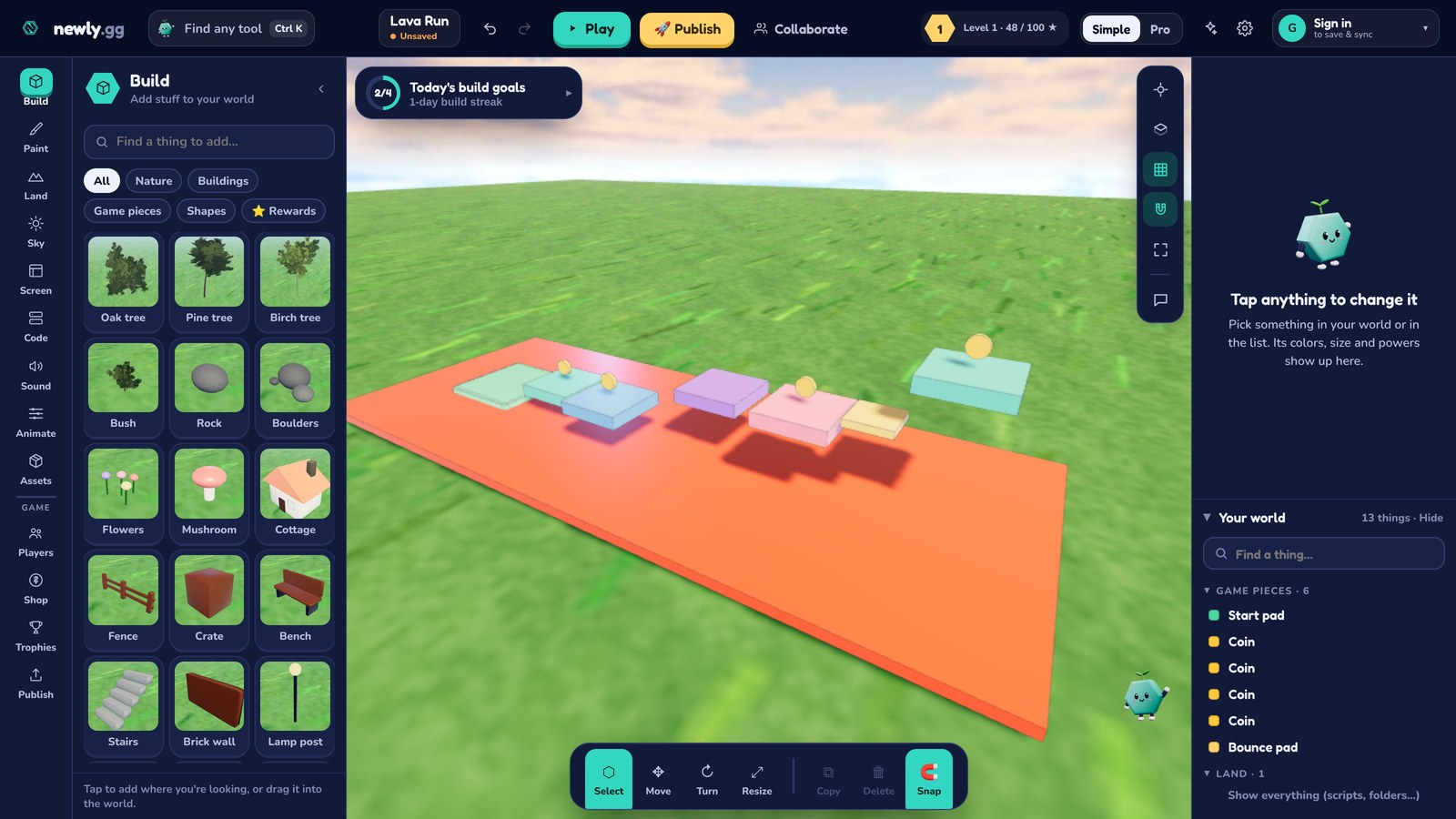
Moves, coins, lava and the bounce pad
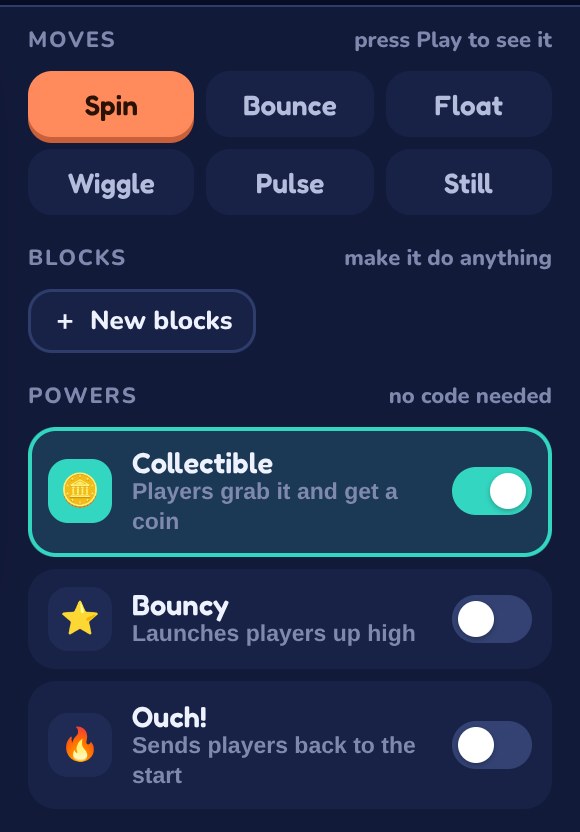
Scroll down in the block's panel to Moves. Give one platform Float and another Spin. A platform that drifts up and down under you is a surprisingly good obstacle, and you didn't write a line of code to get it.
Under Powers (no code needed) are three switches:
- Ouch! on the lava floor sends anyone who falls back to the start.
- Collectible on a few small yellow blocks turns them into coins players can grab.
- Bouncy on a block in front of your tallest platform launches players up onto it.
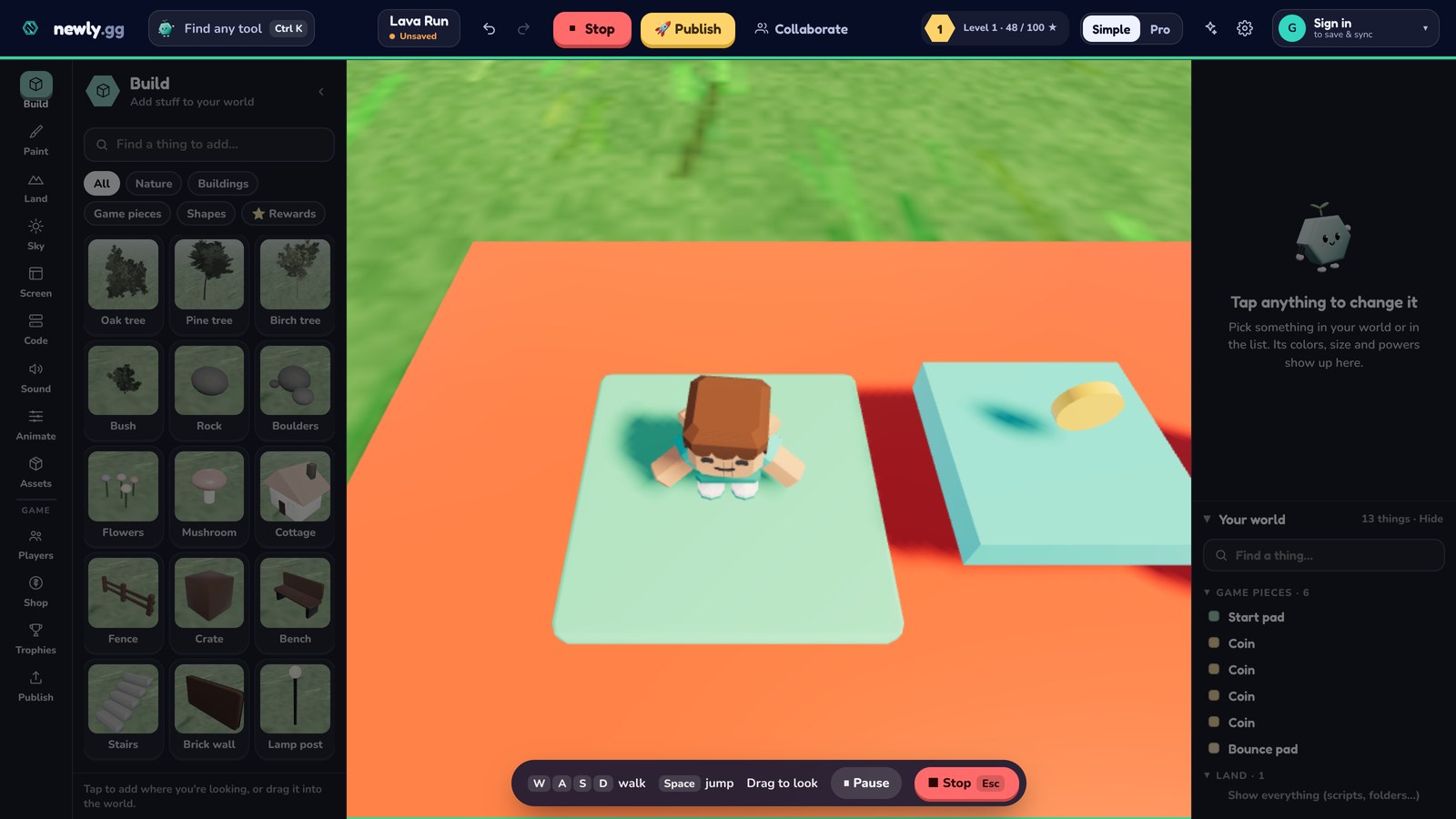
Play it
Press ▶ Play at the top and run the course: W A S D to walk, Space to jump. You'll probably find a jump that's impossible and another one that's way too easy. Press Stop (or Esc), move things around and go again.
Publish
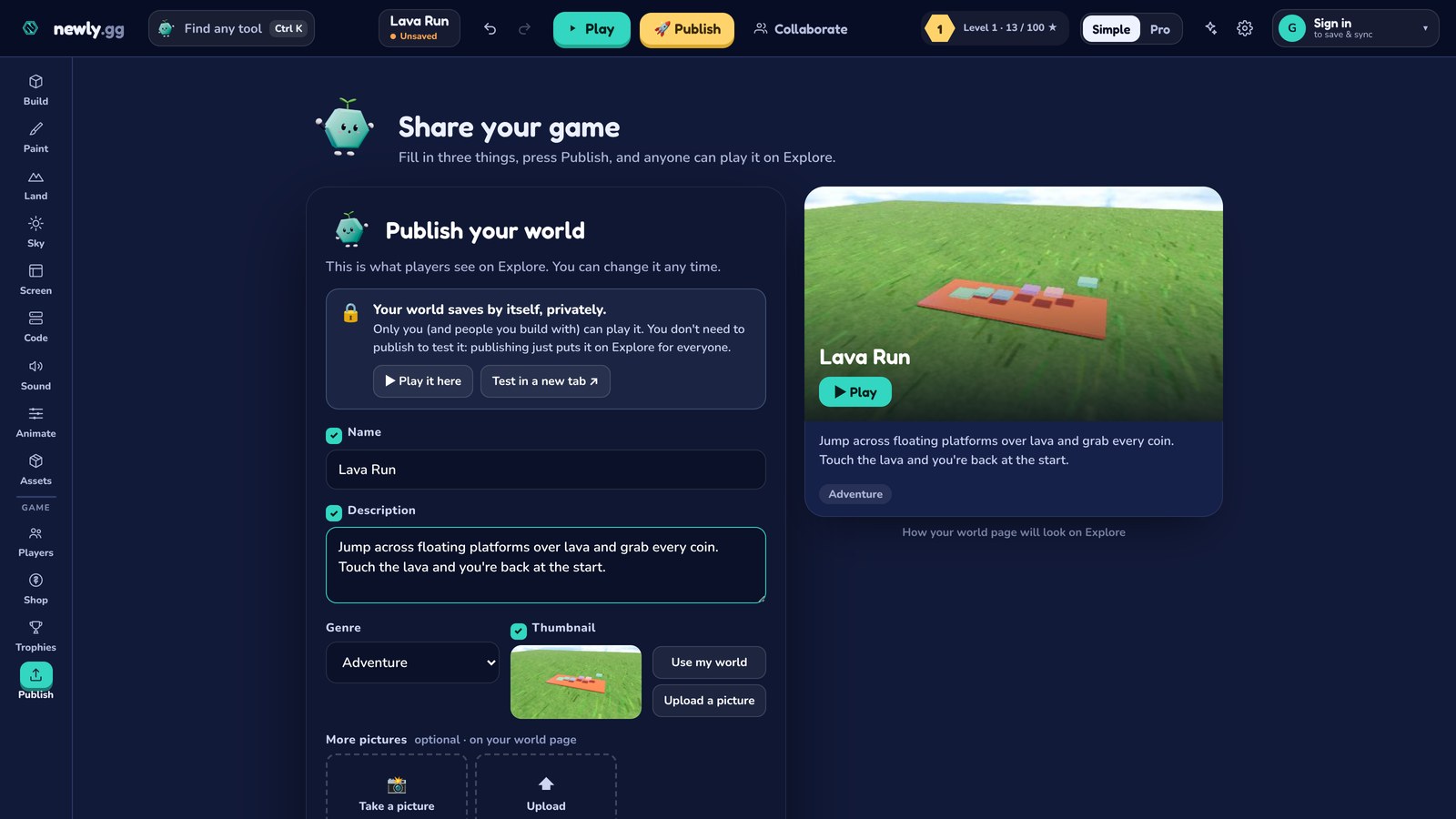
Hit Publish. You'll get a Share your game screen with three things to fill in: the name, a description and a genre. Take the description seriously. It's what shows up on Explore and on your world's page, and it's most of what search engines read. "Jump across floating platforms over lava and grab every coin" is far better than "my game".
Pick a thumbnail too (Use my world takes a picture of what's in front of the camera), then publish. Want to check it first? Test in a new tab plays it exactly the way players will, even before it's public.
Once it's live, copy the link and send it to people. Anyone who opens it is playing within a few seconds, with nothing to install.
Next
If you liked poking at those power scripts, the Luau beginner guide picks up right where this leaves off. Newly also runs C#, and more languages are coming. You can also invite a friend with Collaborate and build the next level together.