By Alem.
Luau is a small language built on Lua. It's what we'd point anyone to for their first game on Newly, mostly because it gets out of your way. There aren't many symbols to memorise, and when something breaks the error usually tells you which line.
(Newly runs C# as well, and more languages are on the way. If you already know one of those, use it. The ideas below carry over.)
You'll want a world to mess around in. Any world works, including the obstacle course from the 3D game guide.
Add a script
Put a block in your world and click it. Then open the Code room on the left and press 📜 New script for your block. The script is attached to the block and opens right away, with two lines already in it.
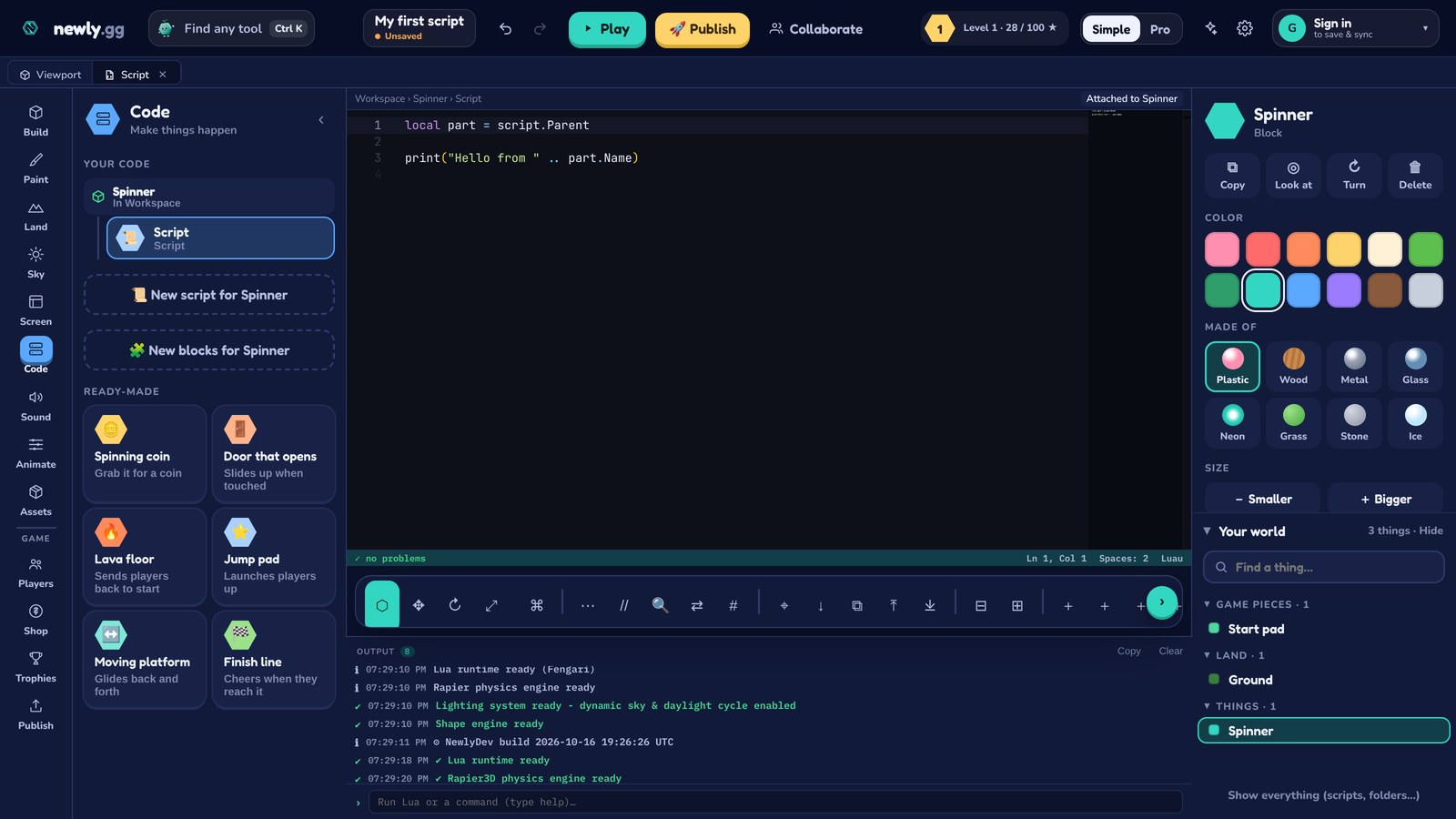
Print something
Replace what's in the script with this, then press ▶ Play:
print("hello")Look at the Output panel under the editor. That's it. It feels like nothing, but you'll lean on print constantly. Whenever code isn't doing what you expect, printing values is the fastest way to find out why.
The block the script lives in
A script can find the thing it's attached to through script.Parent:
local part = script.Parent
print("I'm inside " .. part.Name)
local makes a variable, and the two dots glue pieces of text together. Rename the block, play again, and the message changes.
Make it spin
Games redraw many times a second. Heartbeat lets you run a bit of code on every one of those frames:
local RunService = game:GetService("RunService")
local part = script.Parent

RunService.Heartbeat:Connect(function(dt)
  part.CFrame = part.CFrame * CFrame.Angles(0, math.rad(90) * dt, 0)
end)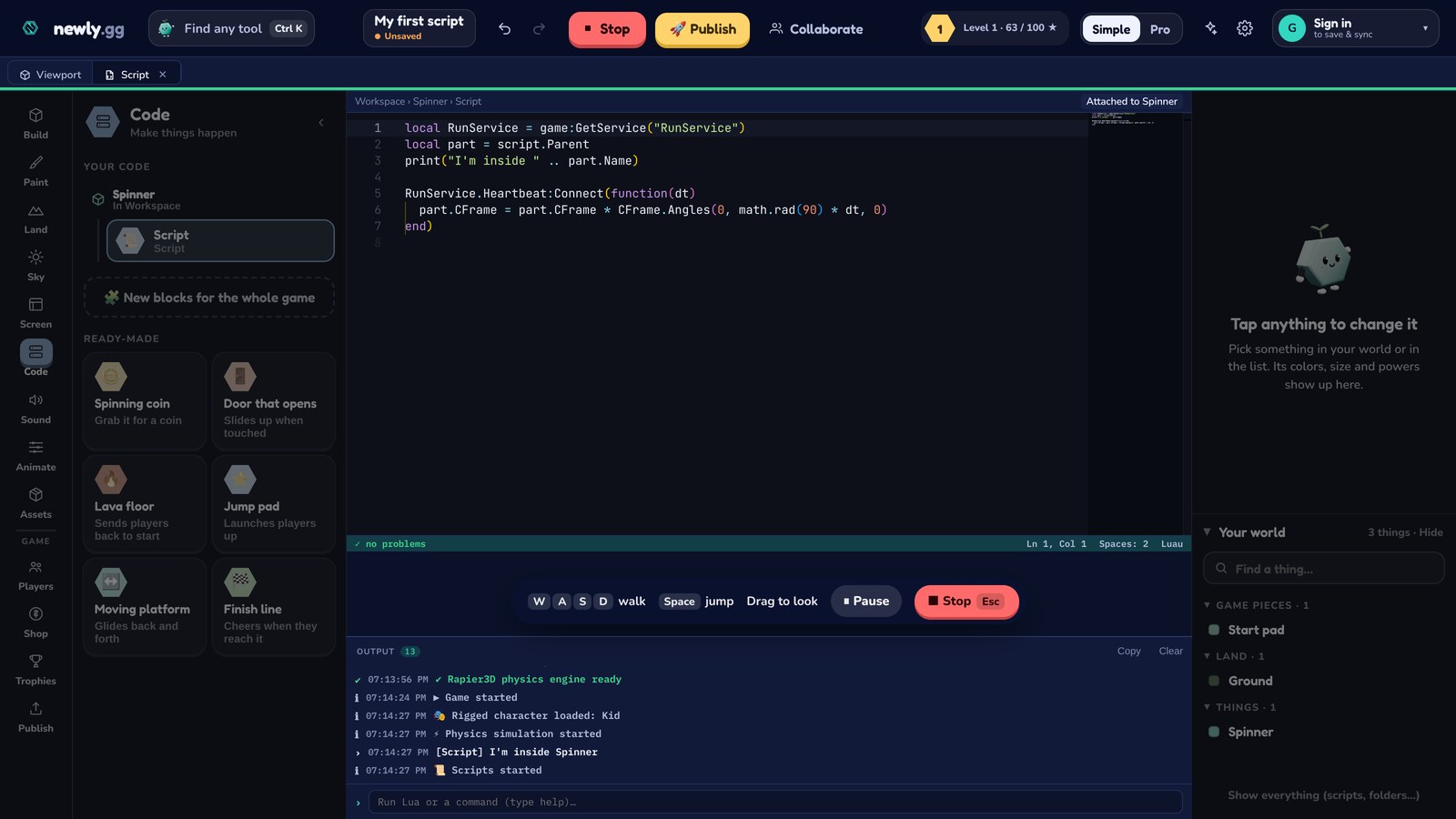
dt is how long the last frame took. Multiplying by it keeps the spin speed the same whether someone's on a fast desktop or an old laptop. Leave it out and fast computers get a dizzier block.
Do something when a player touches it
This is where it starts feeling like a game. Touched runs your function whenever something bumps into the part:
local part = script.Parent
local taken = false

part.Touched:Connect(function(other)
  if taken or not other:IsA("Player") then return end
  taken = true
  print("picked up!")
  part:Destroy()
end)
Why taken? Touch events fire a lot while you're standing on something. Without that check, one coin could count five times before it disappears. It's one of the most common bugs in first games, so it's worth getting into the habit early.
Count coins
To keep a score, players get a folder called leaderstats with a number inside it. Drop this into the touch function, just above part:Destroy():
local player = game:GetService("Players").LocalPlayer
local stats = player:FindFirstChild("leaderstats")
if not stats then
  stats = Instance.new("Folder")
  stats.Name = "leaderstats"
  stats.Parent = player
end
local coins = stats:FindFirstChild("Coins")
if not coins then
  coins = Instance.new("IntValue")
  coins.Name = "Coins"
  coins.Parent = stats
end
coins.Value = coins.Value + 1
If you've used the Collectible power anywhere, open its script in the Code room. It's nearly the same code.
A door that opens when you press E
Make a tall block, name it Door, and give it a new script:
local UIS = game:GetService("UserInputService")
local TweenService = game:GetService("TweenService")
local door = script.Parent
local open = false

UIS.InputBegan:Connect(function(input, gameProcessed)
  if gameProcessed or open then return end
  if input.KeyCode == Enum.KeyCode.E then
    open = true
    local goal = { Position = door.Position + Vector3.new(0, 8, 0) }
    TweenService:Create(door, TweenInfo.new(1), goal):Play()
  end
end)
The tween slides the door up over one second instead of teleporting it. gameProcessed is true when the key press was meant for something else, like typing in a text box, so typing the letter e in a message won't open the door.
That covers the stuff you'll use in almost every game: variables, events, making things and moving them. The scripting reference at newly.gg/docs/scripting has every service with examples, and the tycoon guide is a good next project if you want to build something bigger.